Version 1.4.1, out November 1

Make any sound
speak.

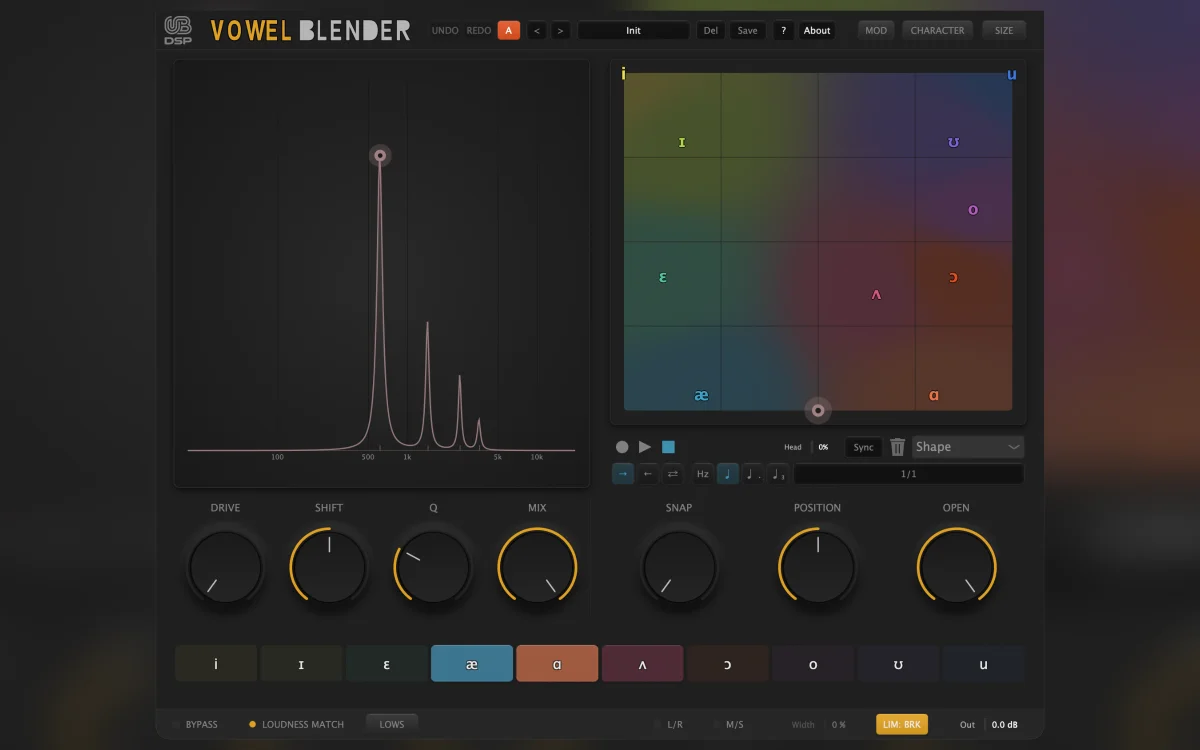
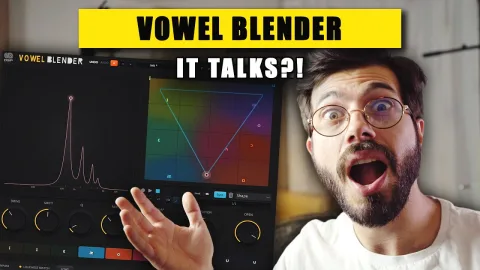
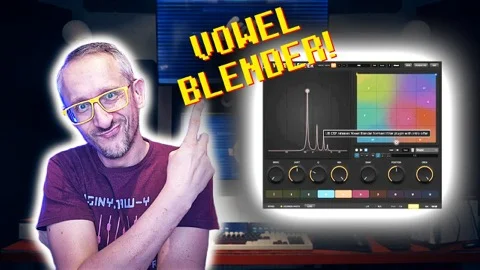
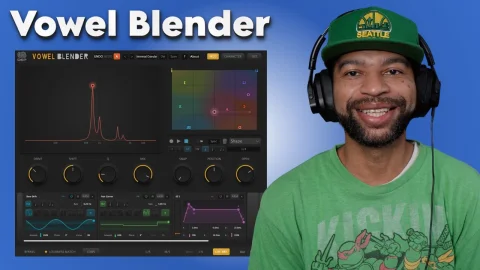
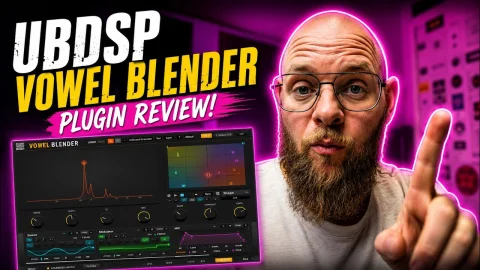
Vowel Blender is a formant filter you play by hand. Drag one dot across ten vowels and your bass, synth or drum loop starts to speak, sing or whisper. Then loop the move in time with the song.

$68 + tax if applicable

Free unlimited trial · One-time purchase, free updates · 30-day money-back guarantee · Offline licence

CLAP · VST3 · AU · AAX  |  macOS · Windows · Linux

“Vowel Blender is both creative and fun to use… it can bring a unique sense of movement to almost any sound source.”

Watch the Vowel Blender presentation video

UB DSP featured on

Sound on Sound KVR Audio Audiofanzine Rekkerd Gearspace Audio Plugin Guy Monthly Mixing Bedroom Producers Blog MixbusTv Production Expert

You know the moment a sound starts to talk.

A synth line opens on an “ah”, closes on an “oo”, and suddenly it has a face. A drum loop starts to chatter. A pad starts to sing. You hear it on a record and you lean in.

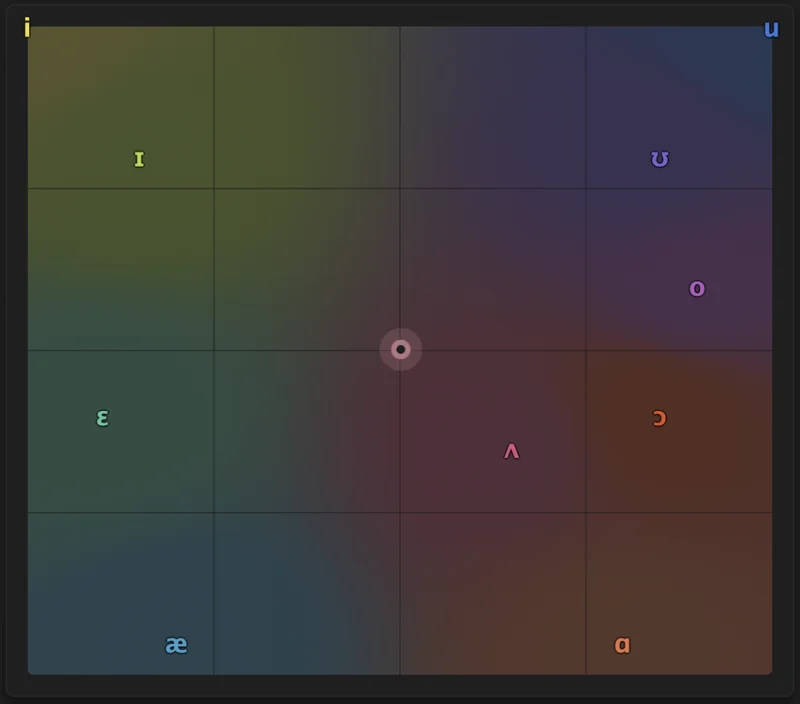
Vowel Blender is built for that moment. Ten vowels from real speech sit on one pad, and one dot moves you between them. Drag from OO to AH and back, and your bass says “wow”.

You don’t type a vowel into a box. You move your hand, and the sound answers. Joy to use, joy to hear.

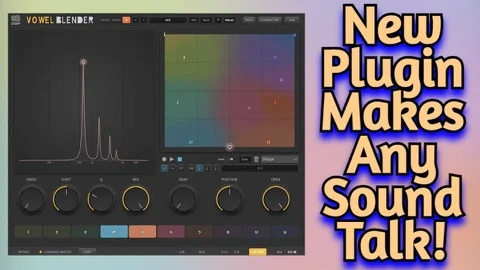
Vowel Blender phonetic XY pad with vowel positions and voice model selector

Ten vowels. One dot. Everything in between.

The pad is laid out like a vowel chart: front vowels on the left, back vowels on the right, a closed mouth at the top, an open one at the bottom. Click a vowel and you land on it. Drag between two and the formants glide from one to the next, the way a mouth does.

Each vowel is four formants, placed where real voices resonate, from published measurements of men, women and children. Pick one of seven voice models, move the whole voice with SHIFT, change its shape with SIZE. Q decides between a soft tint and a singing peak.

It feels less like setting a filter and more like shaping a mouth.

  • 10 vowels from the phonetic alphabet (EE, AH, OO and seven more), on a pad laid out like a vowel chart
  • 4 formants per vowel and 7 voice models, from published speech research
  • BOOST puts a vowel on a sound, NOTCH carves one out
  • LOWS keeps the kick and the sub out of the formants
  • A response curve that shows the four formants move as you play

“Your baby sings with no cringe effect like the others.”

M
MixMasterMD Production audio engineer since 1980

From a preset to a part that talks, in a minute

1

Load a preset

41 factory presets in six categories, from Vocals to Sound Design. Some move on their own as soon as you press play: Vintage Vowel arcs through the vowels in time with your song.

2

Drag the dot

Toward the vowel you hear in your head. Turn Q down for a softer, more vocal colour, up for a sharper one. Hold Shift for fine moves.

3

Let it talk

Record a move and the motion recorder loops it with the song. Or send an envelope follower to the pad, and every note opens the mouth on its own. Your part stops repeating and starts talking.

Hear the difference

Flip between dry and wet, and hear the part find its voice. Best with headphones.

Bass

Clavinet

Organ

Drums

Tambourine

Play it once. Loop it forever.

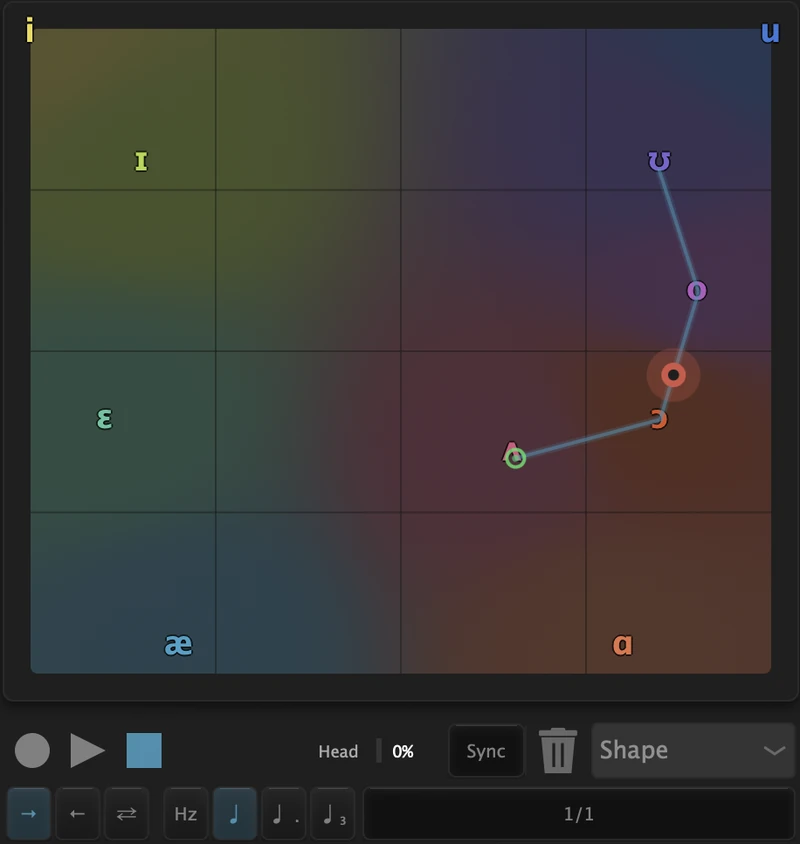
Press record and draw a move on the pad: a slow glide from OO to AH, a figure-eight, a word. Press stop, and the move loops in time with the song, forward, backward or ping-pong, from an eighth note to eight bars.

Rather not draw? Thirteen shapes are one click away, from a Diphthong to a Spiral to a Heart. Turn up SNAP and every pass lands on a real vowel instead of melting between them. The loop stops sliding and starts to chant.

The vowel pad with a recorded path from OO through OH and AW to UH, the dot travelling it, above the motion recorder controls

Let the music do the talking.

Nine modulator types, up to 16 at once, and they can modulate each other: LFO, MSEG, step sequencer, audio-rate oscillator, envelope generator, envelope follower, macro, MIDI and XY pad. Arm one, click a knob, and it moves.

Send an envelope follower to the pad and every hit opens the mouth: that is the talkbox move. Fire the envelope generator from MIDI and a played line gets one vowel move per note, legato included. Lean into a held key and aftertouch shifts the vowel under your finger.

You stop drawing automation and start performing the vowel.

Modulation panel with multiple modulator cards and routing list

The details that make it sing

The low end stays put

Turn on LOWS and everything below the split, anywhere from 20 to 500 Hz, skips the formants. Put it on a bass, a drum bus or a full mix and push Q, DRIVE or ALIEN as hard as you like: the kick and the sub don’t move. The fun never costs you the low end.

Carve a vowel out

Flip BOOST to NOTCH and the filter removes a vowel instead of adding one. Point the dot at the nasal or boxy vowel ringing in a vocal, then raise MIX until it sits back. The same pad becomes the tool you reach for when a word won’t sit.

From a hint to a talkbox

SLOPE sets how hard the formants carve: Soft keeps most of the source, Sharp focuses it into singing peaks. BREATH adds a whispered layer shaped by the same vowel. You decide how much of a voice the sound gets.

Alive, strange, or both

HUMANIZE adds a slow drift, so the vowel never sits perfectly still. SIZE changes the shape of the voice without moving its register. ALIEN bends the formants into vowels no mouth can make. Turn them up and the sound becomes a character.

Pitch before the vowel

Turn on PITCH and the source moves up to an octave either way before it reaches the formants, which stay where they are. An octave up gives you a chipmunk with a grown-up’s throat, an octave down a sub vowel. It adds about 12 ms of latency, reported to your DAW, from the first time you switch it on until the plugin reloads. One sound, a whole cast of voices.

Judge the voice, not the volume

LOUDNESS MATCH holds the output close to your input level, so the wet side never wins your A/B just by being louder. Lock MIX and every preset you audition keeps your dry/wet. You trust your ears, then you commit.

In their words.

“It’s a vowel-based filter that allows you to inject a sense of ‘vocalisation’ into almost any sound… an effect that’s brimming with creative potential.”

JW
John Walden Sound on Sound

“You wouldn’t need a vocoder or a talkbox with this plugin. Tons of modulation, movement, motion that create very interesting sounds that speak.”

A
Amner Hunter YouTube review

“It’s pretty unique. I’ve seen a couple similar plugins in my time, but this has laid it out really nicely. It’s really easy and user friendly.”

C
Chris Vella YouTube review

“For some electronic funk music, for some French house and some other genres, this is gold. And it’s fun. It’s very easy.”

“A plugin I didn’t know I needed in my life. Definitely a good plug-in. I would recommend checking it out.”

“For sound design, trailer music, and just sometimes when you want to try something funky, this is definitely up there in the top five plugins I’ll reach for. It has a vibe.”

O
Oliver Shillito YouTube review

“A fantastic tool for sound design. Really beautiful possibilities, and a powerful tool.”

P
Paul Marx YouTube review · translated from German

See it in action

Sage Audio feature using Vowel Blender to work with vocal formants

Sage Audio

Chris Vella review of Vowel Blender

Chris Vella

Folia Soundstudio review of Vowel Blender

Folia Soundstudio

Amner Hunter review of Vowel Blender

Amner Hunter

Sumn review of Vowel Blender

Sumn

Oliver Shillito review of Vowel Blender

Oliver Shillito

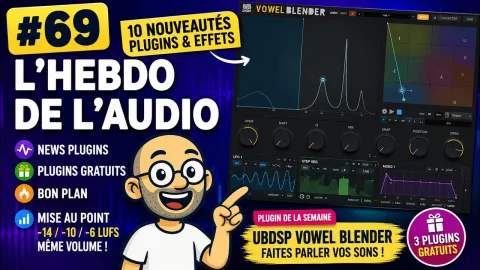
Audio Linea Studio review of Vowel Blender (Hebdo de l'Audio #69)

Audio Linea Studio

Paul Marx (MeinHomestudio) review of Vowel Blender

Paul Marx · Deutsch

Ben, founder of UB DSP

One person builds this.

I’m Ben. I write every UB DSP plugin myself: the DSP, the interface, the manual, and the replies to your emails. Master’s in Signal Processing, Bitwig Certified Trainer, and I make music as unTIL BEN and with Scarset Rebellion.

Vowel Blender is the second Blender, between Grit Blender and Filter Blender. Learn one and you know the others: one dot, and a sound you can hear move.

Joy to use, joy to hear. That is the only brief I give myself.

Hear the music →   Read the manual →

Fair questions, straight answers.

Before you buy

“I already own The Orb.”

Then you know what a vowel filter can do to an instrument. AudioThing describes The Orb as a formant filter that turns any sound into a vowel-like sound, with three band-pass filters, male, female, child and custom vowel sets, and three LFOs. Vowel Blender is built around a different move: ten vowels from real speech laid out like a vowel chart, four formants each, and one dot you drag between them, so the glide from one vowel to the next becomes the sound. Record that move and it loops with the song, or hand it to an envelope follower, a step sequencer or your keyboard’s aftertouch. Folia Soundstudio put the two side by side in their Vowel Blender review: hear it for yourself at 7:57. Then put both on the same synth line and listen: the trial has no time limit.

“Fun, but I’d use it twice.”

Fair, and for a lot of plugins that is true. Vowel Blender has two lives, though. In BOOST it puts a vowel on a sound: the talking bass, the singing pad. In NOTCH it takes one out: the nasal ring in a vocal, the honk in a midrange part. With LOWS on, it sits on a drum bus or a full mix without touching the low end. The trial has no time limit, so try it on what you are working on now.

“Vowel filters always end up sounding cheesy.”

Many do: one fixed vowel, hard peaks, and the robot arrives. Here the formants come from measurements of real voices, and a move between two vowels glides like a mouth instead of switching. For a tint rather than a talkbox, set SLOPE to Soft, keep Q around 1 or lower, and bring MIX down to 30 to 60 %. And if the robot is what you want, Sharp and a high Q will take you there.

“Is this a formant shifter for my vocals?”

No, and you should know that before you buy. A formant shifter changes who seems to be singing. Vowel Blender is a filter: it puts vowels on a sound, or takes them out, and it does not retune or re-gender a vocal. On a voice it does two things well: a vowel colour tucked behind the singer at a low MIX, and NOTCH to tame a vowel that rings. If you want your vocal to sound like a different singer, a formant shifter is the right tool.

“I already own a vocoder or a talkbox plugin.”

Keep it. A vocoder needs two signals, a voice and a carrier, and a talkbox needs someone to play it. Vowel Blender needs neither: the vowels are already on the pad, and any single sound can speak them, moved by your mouse, a MIDI key or its own envelope.

“One developer I’ve never heard of. Will this still work in five years?”

A fair question, and I won’t answer it with a promise. Here is what you can check. Vowel Blender came out in May 2026. It is one of three Blenders, and Sound on Sound reviewed the first two. Updates are free for life. Your licence is a file on your computer, checked offline: nothing at UB DSP needs to be online for the plugin to keep working. And when you write to support, I’m the one who answers.

The practical side

AU, VST3, CLAP and AAX on macOS (Apple Silicon and Intel, macOS 10.13 or later; versions before macOS 11 are not tested). VST3, CLAP and AAX on Windows. VST3 and CLAP on Linux. There is no standalone app. It runs on mono and stereo tracks, and as mono to stereo where your DAW offers it. In Logic Pro, look under MIDI-controlled Effects: Vowel Blender accepts MIDI for its modulators, so that is where Logic files it. If something does not work in your setup, the 30-day money-back guarantee covers you.

No. The motion recorder, LFOs, MSEGs and step sequencers run on their own, and the envelope follower and envelope generator listen to the audio going into the plugin. MIDI is only needed for the MIDI modulator (keytrack, velocity, aftertouch, mod wheel) and for the envelope generator in MIDI mode, which gives you one envelope per note.

Yes. The dot is two parameters, POSITION and OPEN, so an automation lane moves it like any knob. SHIFT, Q, DRIVE, MIX, SNAP and the motion recorder’s HEAD are automatable too.

It depends on what you switch on. PITCH is the heaviest part, and switching it off gives that CPU back. Each active modulator adds a little, and the L/R and M/S stereo modes process the two channels separately. Latency is zero by default. PITCH adds about 12 ms from the first time you switch it on, and keeps it until the plugin reloads, so your DAW never has to re-plan in the middle of a song. The limiter’s look-ahead (off by default, in the About panel) adds about 1.5 ms. Both are reported to your DAW.

41 factory presets in six categories: Init/Basics, Vocals, Synth/Keys, Bass, Creative and Sound Design, three of them built for NOTCH (De-Nasal, Anti-Honk, Carve Vowel). In CLAP hosts with a preset browser (Bitwig Studio, REAPER), they show up in the host’s own browser. Your own presets keep every parameter, the modulators and the motion path.

You buy once, you get a keyfile, you load it in the plugin. The check happens on your computer, with no activation server and no dongle. Your licence covers up to three computers you personally own and use, and the keyfile stays in your account at ubdsp.com if you need it again. Until you buy, the trial is the full plugin with 2 seconds of silence every 40 seconds, for as long as you like. Updates are free for life. Telemetry is off unless you turn it on.

One payment, no subscription, free updates for life. Every purchase has a 30-day money-back guarantee, no questions asked, and the trial has no time limit, so you can decide on your own tracks before paying. If you already own Grit Blender or Filter Blender, log in: your owner’s price shows on this page.

Technical details

Plugin formats macOS: AU, VST3, CLAP, AAX · Windows: VST3, CLAP, AAX · Linux: VST3, CLAP
Platforms macOS 10.13 or later (Apple Silicon and Intel; versions before macOS 11 are not tested), Windows 64-bit, Linux 64-bit
Vowels 10 from the International Phonetic Alphabet (i, ɪ, ɛ, æ, ɑ, ʌ, ɔ, o, ʊ, u), 4 formants each
Voice models 7 (Woman 1/2/3, Man 1/2/3, Kids), from Peterson & Barney 1952 and Hillenbrand et al. 1995
Filter Zero-delay-feedback state-variable band-pass formants, log-frequency interpolation between vowels, SLOPE (Soft, Classic, Sharp), Q^0.7 gain compensation, soft-clip DRIVE before the filter
Modes BOOST (imposes the vowel), NOTCH (carves it out)
Character HUMANIZE, BREATH, SIZE, ALIEN
Pitch shifter Optional, before the formants: phase vocoder (FFT 512, hop 128), ±12 semitones, about 12 ms latency
Motion recorder Live, Record, Replay. Free rate or tempo-synced (1/8 to 8 bars). Forward, backward, ping-pong. 13 shapes (Vowel Sweep, Circular, Diphthong, All Vowels, Spiral, Triangle, Star, Figure-8, Square, Diamond, Inv. Triangle, Square Spiral, Heart). SNAP to the nearest vowel.
Modulators 9 types (LFO, MSEG, Step Sequencer, Audio Oscillator, Envelope Generator, Envelope Follower, Macro, MIDI, XY Pad), up to 16 at once, intermodulation
Output stage LOWS crossover (24 dB/oct, 20 to 500 Hz), MIX with lock, LOUDNESS MATCH, IN and OUT (±24 dB), limiter
Stereo Off, L/R, M/S with Stereo Amount. Mono, stereo, and mono to stereo.
Latency Zero by default. About 12 ms once PITCH has been switched on, held until the plugin reloads. About 1.5 ms more with the limiter look-ahead (off by default). Reported to the host.
MIDI Notes, velocity, aftertouch and mod wheel (CC1). Needed only by the MIDI modulator and the envelope generator in MIDI mode.
Presets 41 factory presets in 6 categories. In CLAP hosts with a preset browser (Bitwig Studio, REAPER), they show up in the host’s browser too.
Window Resizable, A/B, 29 steps of undo
Licence Offline keyfile, up to 3 computers you own. Free unlimited trial: fully working, with 2 seconds of silence every 40 seconds.

Hear what your sound has to say.

Load a preset, drag the dot, and let it talk. One-time purchase, free updates for life.

$68

One-time purchase · Free updates · 30-day money-back guarantee

+ tax if applicable

Get Vowel Blender for $68.

Try it free

Already running the trial? Load your keyfile and the silences stop. Nothing to reinstall.

Already own Grit Blender or Filter Blender? Log in and your owner’s price shows here.